Video editing tools Instagram, Are very important for creating attractive and engaging content on the platform. These tools help users turn simple videos into professional-looking clips by adding effects, music, text, and filters. In today’s digital world, good video editing is the key to getting more views, likes, and followers on Instagram. Whether you are a beginner or an experienced creator, using the right editing tools can make your videos more creative, eye catching, and shareable.
Understanding Instagram Video Content Types
Instagram offers different types of video content, and each type has its own purpose and style. The most common formats include Reels, Stories, IGTV (long videos), and short promotional clips. Reels are short, creative videos that are designed to go viral and reach a large audience. Stories are temporary videos that disappear after 24 hours and are great for daily updates. IGTV is used for longer videos where creators can share detailed content. Promotional clips are usually used by businesses to advertise products or services. Each type of video needs a different editing style to make it more attractive, engaging, and suitable for viewers.
Key Features Every Instagram Video Editing Tool Must Have
To create high quality and engaging Instagram videos, every editing tool should include some important features that make editing easy and professional.
- Easy drag and drop editing interface.
- Built in filters and visual effects.
- Music and sound library options.
- Text, captions, and subtitle tools.
- Support for Instagram video sizes (9:16, 1:1).
- Trimming, cutting, and merging tools.
- High-quality export settings.
A good video editing tool always provides simple features that help creators make attractive and professional-looking Instagram content without any difficulty.
Beginner Friendly Video Editing Tools for Instagram
If you are new to video editing, there are many simple tools that can help you create amazing Instagram videos without any difficulty.
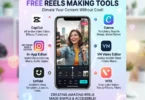
- CapCut: Very easy editor with templates, effects, and auto captions.
- InShot: Simple app for trimming, music, and filters.
- VN Video Editor: Clean interface with professional features for beginners.
- KineMaster: Easy timeline editing with effects and layers.
- Adobe Premiere Rush: Beginner friendly version of Adobe editing tools.
These tools are perfect for beginners because they are simple, fast, and help you create professional-looking Instagram videos without advanced skills.
Advanced Video Editing Tools for Professional Creators
Professional creators need powerful tools that offer advanced features to produce high-quality and cinematic Instagram videos.
- Adobe Premiere Pro: Industry standard tool for advanced editing, transitions, and effects.
- Adobe After Effects: Best for motion graphics, animations, and visual effects.
- DaVinci Resolve: Famous for advanced color correction and cinematic editing.
- Final Cut Pro: Fast and powerful editing tool for Mac users.
- Sony Vegas Pro: Simple yet powerful tool for professional video editing.
These tools are widely used by professional creators because they offer full control, high-quality output, and advanced editing features for Instagram videos.
How to Edit Instagram Videos Step by Step
To create attractive Instagram videos, you need to follow a simple editing process. These steps will help you turn raw clips into professional and engaging content.
- Choose your raw video footage.
- Open a video editing tool and import the video.
- Trim and cut unwanted parts of the video.
- Add music, sound effects, or voiceover.
- Insert text, captions, and stickers.
- Apply filters, transitions, and effects.
- Adjust video size for Instagram format (9:16 or 1:1).
- Preview the final video and make improvements.
- Export the video in high quality.
Following these simple steps helps you create clean, professional, and engaging Instagram videos that can attract more viewers and improve your social media growth.
Best Practices for Creating Viral Instagram Videos
To make your Instagram videos go viral, you need to follow smart strategies that keep viewers engaged and encourage sharing.
- Keep videos short, simple, and engaging.
- Use trending music and popular sounds.
- Add a strong hook in the first 3 seconds.
- Focus on high-quality visuals and clear audio.
- Use captions and text for better understanding.
- Post at the right time when audience is active.
- Follow trending topics and challenges.
- Keep your content creative and unique.
Following these best practices can greatly increase your chances of making viral Instagram videos and growing your audience faster.
Common FAQs About Video Editing Tools Instagram
Here are some Faqs of Video Editing Tools Instagram:
What are video editing tools for Instagram?
Video editing tools for Instagram are apps or software that help you create, edit, and enhance videos with effects, music, text, and filters before posting.
Do I need professional skills to use Instagram editing tools?
No, many tools are very beginner-friendly and you can learn them easily without any professional experience.
Can I use video editing tools for free?
Yes, many tools offer free versions with basic features, which are enough for simple Instagram video editing.
Which device is best for Instagram video editing?
Both mobile phones and computers can be used, but mobile apps are more popular for quick and easy editing.
How do editing tools help increase Instagram followers?
Good editing makes videos more attractive and engaging, which increases views, likes, shares, and followers.
Can I add my own music in Instagram video editing tools?
Yes, most editing tools allow you to upload your own music or choose from built-in sound libraries.
Do Instagram video editing tools support captions?
Yes, many tools have auto-caption or manual text features to add subtitles and improve video understanding.
Are Instagram video editing tools safe to use?
Yes, popular and trusted apps are safe, but always download them from official app stores to avoid risks.
Conclusion
Video editing tools for Instagram play an important role in creating attractive and engaging content. These tools help beginners and professionals turn simple videos into high-quality posts by adding effects, music, text, and filters. If you choose the right tool and follow proper editing techniques, you can improve your video quality and grow your Instagram audience faster. Consistent practice and creativity are the key to making successful and viral Instagram videos.