Creating great content on Instagram is easier when you have the right tools. This Instagram Creator Tools Guide, Will help you understand the features that creators use to grow their audience, save time, and improve their content. Whether you are a beginner or already making posts and Reels, these tools can help you work smarter. You will learn what Instagram creator tools are, how to use them, and the best ways to increase engagement and build a strong presence on Instagram with simple, easy to follow steps.
Understand Instagram Creator Tools
Instagram creator tools are special features made to help content creators manage and grow their accounts more easily. These tools allow you to track your performance, learn more about your audience, create better content, and save time with useful features. Whether you share photos, videos, Reels, or Stories, creator tools help you understand what works best. They also give you important data, such as how many people viewed your content, interacted with your posts, and followed your account. By using these tools regularly, you can make smarter decisions, improve your content, and grow your Instagram presence in a simple and effective way.
Change to an Instagram Creator Account
Switching to an Instagram Creator Account gives you access to professional tools that help you grow your audience and manage your content more easily.
- Open Instagram: Launch the Instagram app.
- Go to Your Profile: Tap your profile picture.
- Open the Menu: Tap the ☰ icon.
- Select Settings: Open Settings and Privacy.
- Choose Account Tools: Tap Account Type and Tools.
- Switch to Professional: Select Switch to Professional Account.
- Choose Creator: Pick Creator as your account type.
- Complete Setup: Follow the steps and tap Done.
Your Creator Account is now ready. You can start using Instagram creator tools to improve your content and grow your account.
Explore the Built in Instagram Creator Tools
Instagram offers several built in creator tools that help you manage your account, create better content, and track your growth.
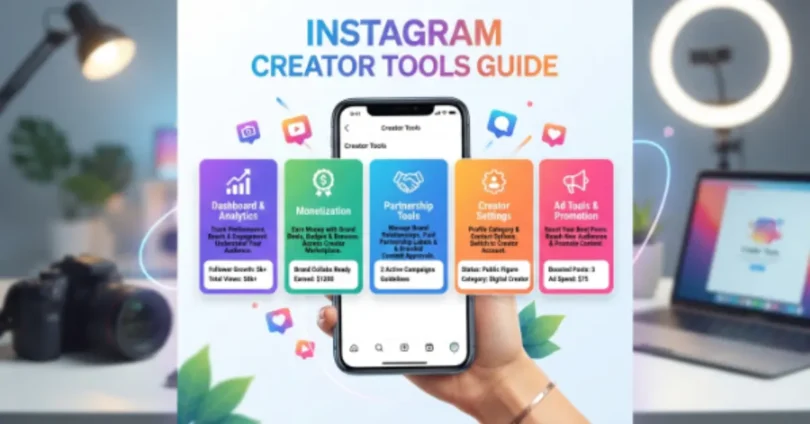
- Professional Dashboard: View your account performance in one place.
- Instagram Insights: Track reach, engagement, and follower growth.
- Content Scheduling: Plan and schedule posts in advance.
- Saved Replies: Reply to common messages quickly.
- Creator Marketplace: Connect with brands for partnerships.
- Broadcast Channels: Share updates directly with your followers.
- Monetization Tools: Earn money through eligible creator features.
These built in tools make it easier to manage your Instagram account and help you grow your audience more effectively.
Learn How Instagram Insights Help You Grow
Instagram Insights gives you useful data to understand your audience and improve your content strategy.
- Reach: See how many people viewed your content.
- Impressions: Check how many times your posts were displayed.
- Engagement: Measure likes, comments, shares, and saves.
- Profile Visits: Find out how many users visited your profile.
- Follower Growth: Track new followers and audience changes.
- Best Time to Post: Learn when your followers are most active.
- Top Performing Content: Identify the posts and Reels that perform best.
- Content Improvement: Use Insights to create better content in the future.
By checking Instagram Insights regularly, you can make smarter decisions, increase engagement, and grow your account faster.
Create Better Content with Design Tools
Good design tools help you create attractive Instagram posts, Stories, and Reels that catch people’s attention.
- Graphic Design Tools: Create eye-catching post designs.
- Video Editing Tools: Edit Reels and videos with ease.
- Story Templates: Make professional-looking Instagram Stories.
- Cover Images: Design attractive Reel and Highlight covers.
- Text and Fonts: Add clear and stylish text to your content.
- Brand Colors: Use the same colors for a consistent look.
- High-Quality Images: Choose clear photos for better engagement.
- Creative Elements: Add icons, stickers, and effects to make content stand out.
Using the right design tools helps you create professional content that attracts more viewers and increases engagement.
Plan and Schedule Your Content
Planning your content in advance helps you stay active, save time, and post consistently on Instagram.
- Create a Content Calendar: Plan your posts for the week or month.
- Set Posting Dates: Choose the best days to publish content.
- Schedule Posts: Use scheduling tools to post automatically.
- Plan Reels and Stories: Prepare all content before publishing.
- Write Captions Early: Save time by creating captions in advance.
- Organize Content Ideas: Keep your future post ideas in one place.
- Post Consistently: Follow a regular posting schedule.
- Review Your Plan: Update your content calendar when needed.
A good content plan helps you stay organized, post regularly, and grow your Instagram account with less effort.
Common FAQs About Instagram Creator Tools Guide
Here are some FAQs of Instagram Creator Tools Guide:
Can I switch back from a Creator Account to a Personal Account?
Yes. Instagram allows you to switch your account type at any time. You can change from a Creator Account to a Personal or Business Account if your needs change.
Do Instagram creator tools work for small accounts?
Yes. You do not need thousands of followers to use creator tools. Even new creators can access many features and use them to improve their content.
Can I manage multiple Instagram accounts with creator tools?
Yes. You can manage more than one Instagram account, but you need to switch between them to access each account’s creator features.
Do creator tools affect my account privacy?
No. Creator tools do not automatically make your account public or change your privacy settings. You can choose the privacy settings that work best for you.
Can I use creator tools on both mobile and desktop?
Yes. Many creator features are available in the Instagram mobile app, while some management and scheduling tools can also be used on desktop.
How often does Instagram add new creator tools?
Instagram regularly introduces new features and improvements. Keeping your app updated helps you access the latest creator tools.
Can I use creator tools to manage direct messages?
Yes. Creator Accounts include messaging features that make it easier to organize and respond to messages from followers and potential partners.
What is the first creator tool a beginner should learn?
Beginners should start with the Professional Dashboard because it provides quick access to important features and helps them understand how their account is performing.
Conclusion
Using the right Instagram creator tools can make content creation easier and help you grow your account more effectively. From managing your profile and planning posts to tracking performance and improving engagement, these tools give you everything you need to succeed. Start with the built in features, stay consistent, and keep learning as Instagram introduces new updates. You can create better content, reach more people, and build a strong and successful presence on Instagram over time.